Use VibeThoughts in your AI assistant
Say it once. Get a message ready to send.
Add VibeThoughts to the AI assistant you already use. Just tell it who you're thinking of and what's going on, and it writes the message and reminds you when to send it.
Just say
“Remind me to check in with Sara about her new job next Friday, keep it casual.”
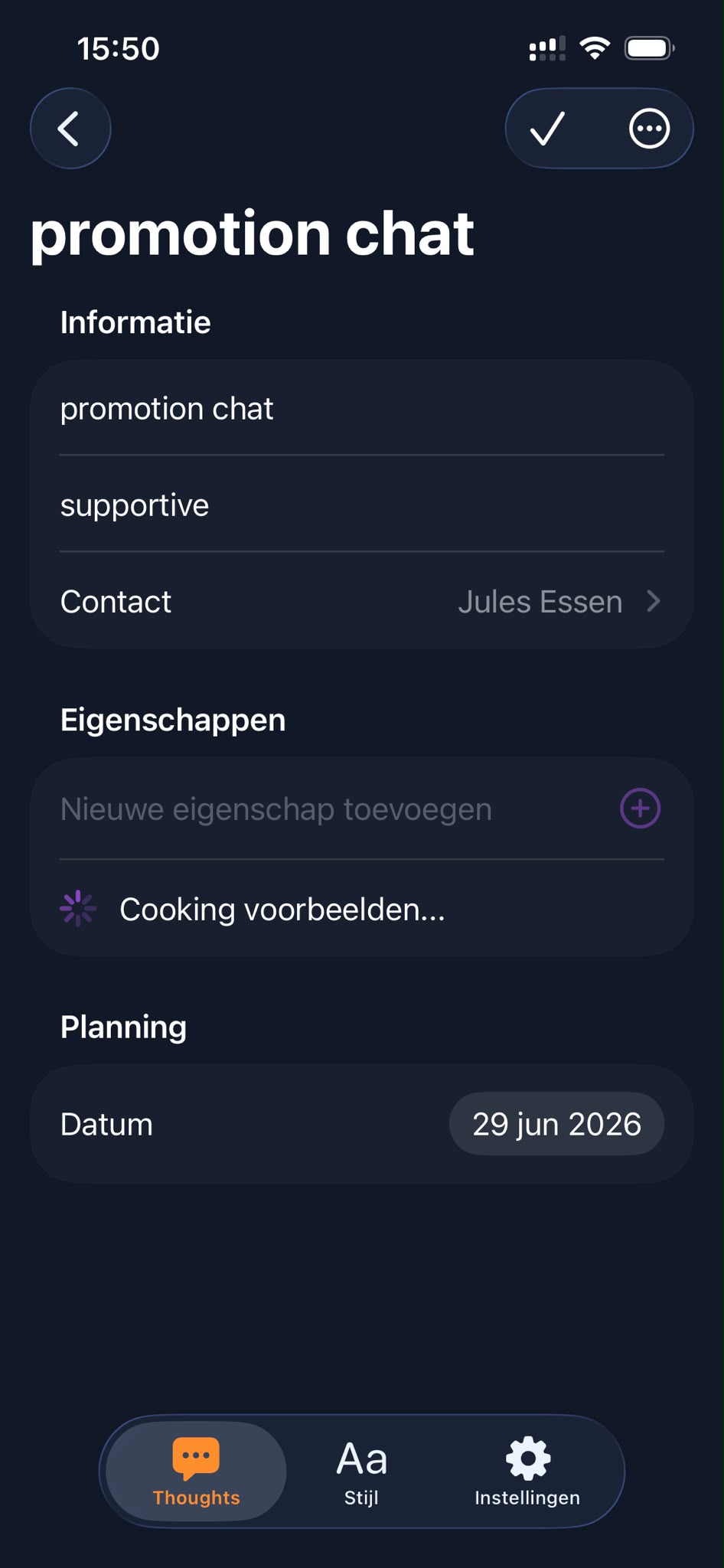
VibeThoughts picks up
- Who
- Sara
- About
- Her new job
- Tone
- Casual
- When
- Next Friday
How it works
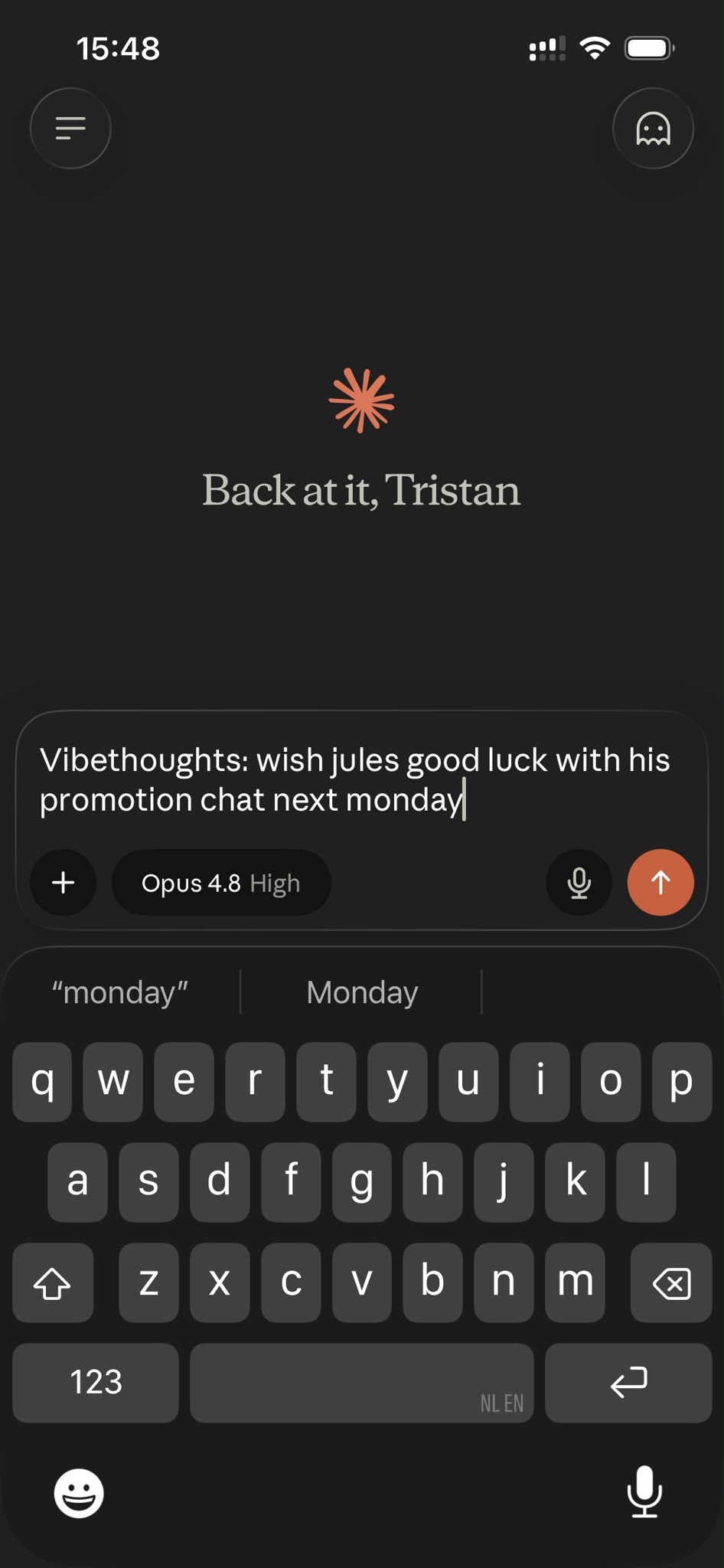
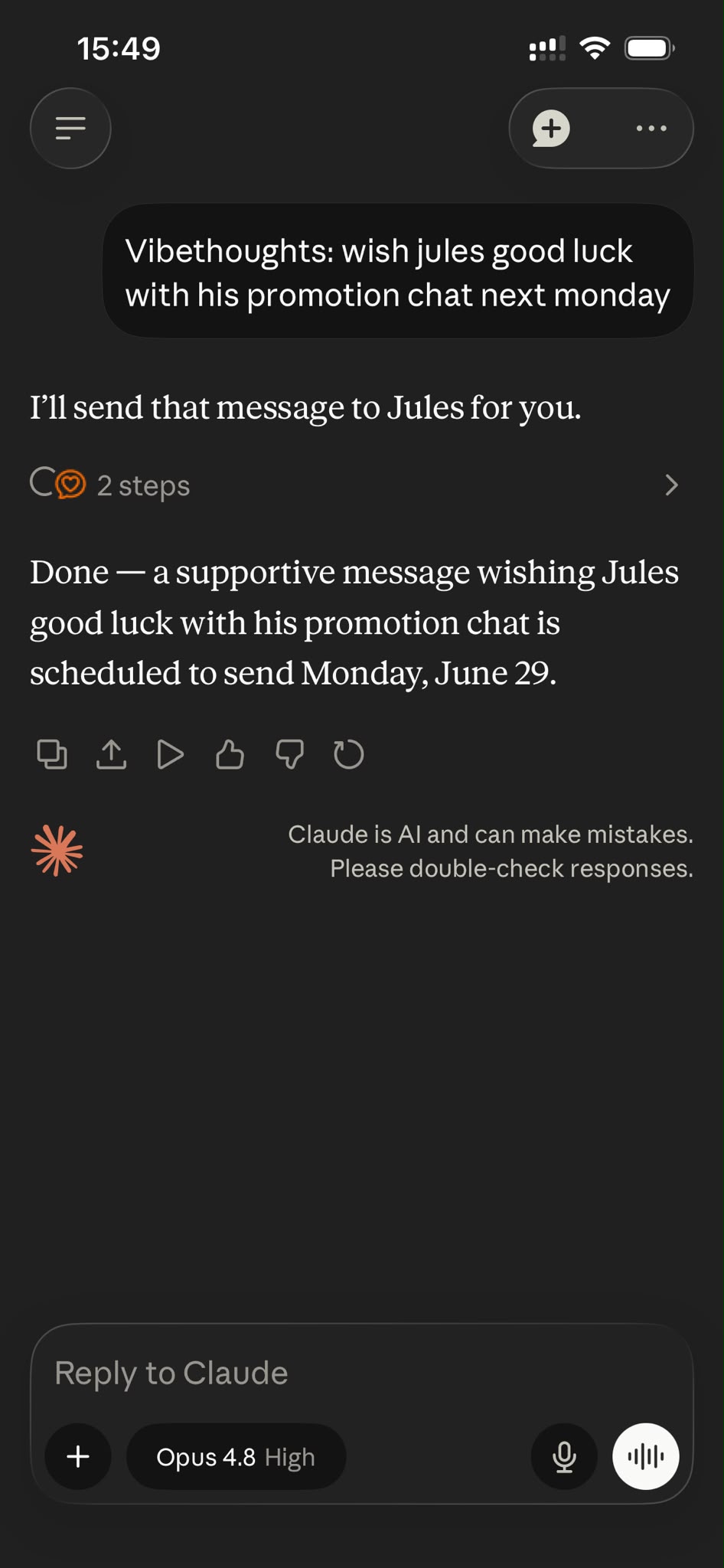
From a thought to a sent message
Three simple steps, right inside the assistant you already use.
Get started
Connect it in under a minute
No downloads, no setup. Add VibeThoughts as a connector in your AI assistant and sign in.
- 1
In Claude or ChatGPT, open Settings and go to Connectors (or Apps).
- 2
Choose "Add" and paste the VibeThoughts link below (leave other fields like OAuth empty).
- 3
Sign in with your VibeThoughts account and you're ready to go.
VibeThoughts link
Works with Claude, ChatGPT, and other assistants that support connectors.
Stay close to the people who matter
VibeThoughts reminds you, writes it, and you send it, right inside the AI assistant you already use.